
The system a service business runs on.
Every call, message, booking, job, and invoice lands on one contact, and the automations carry it from the first ring to the paid invoice.
Watch the narrated tour with no sign-up. A workspace asks for a card.


The whole business in one product.
Every screen is built on one contact record. The person who texted this morning is the person on the invoice.
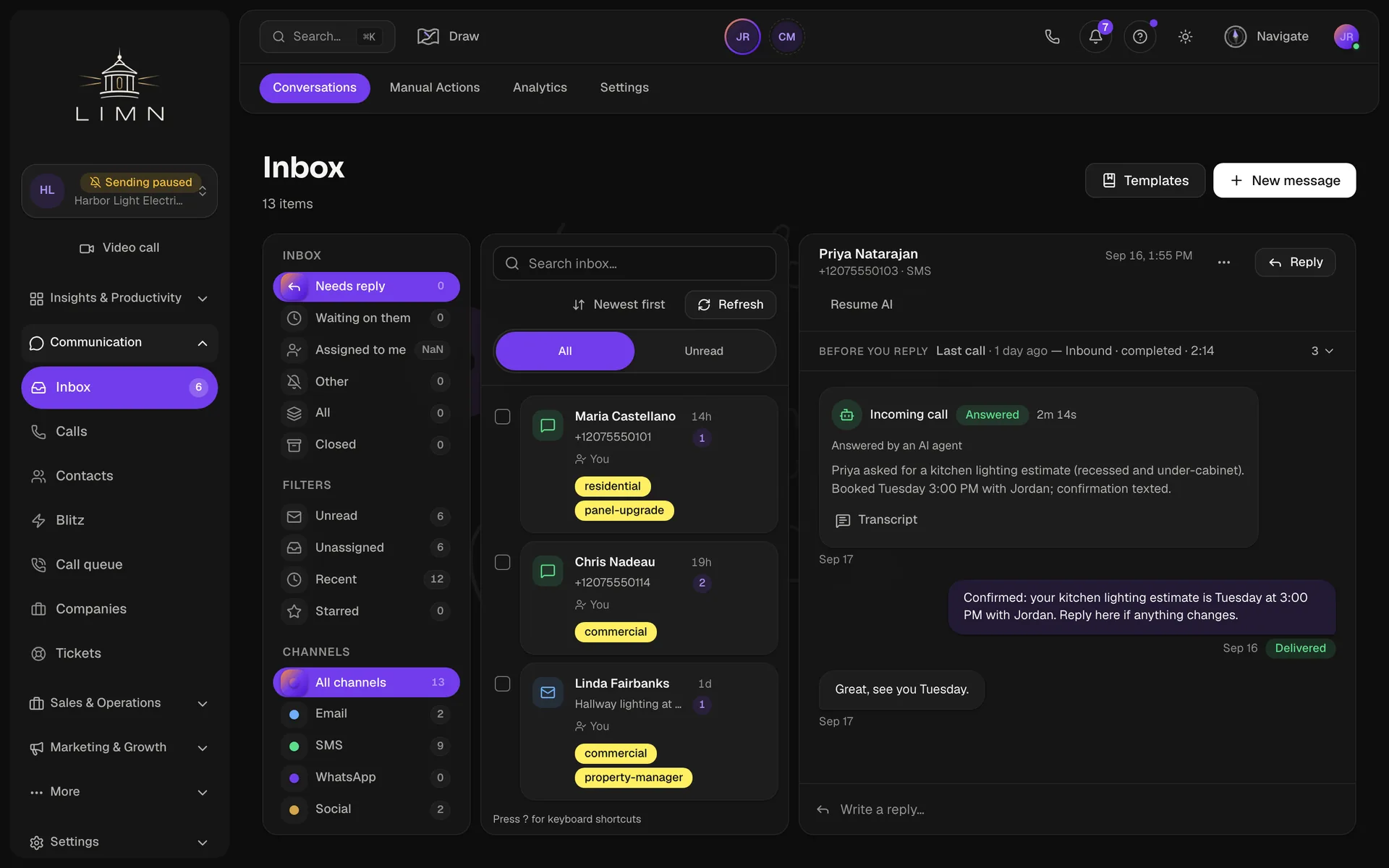
Inbox
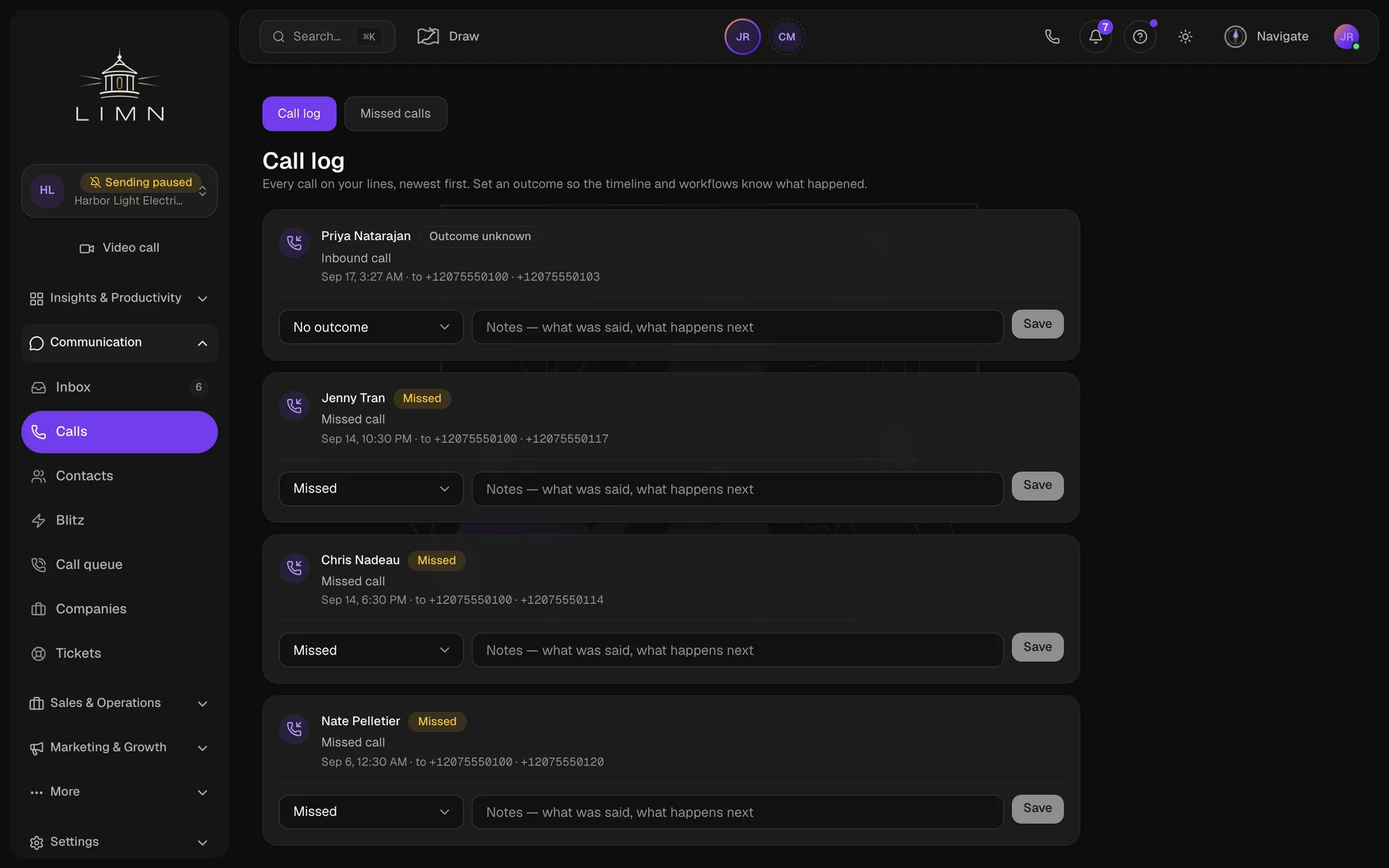
Calls
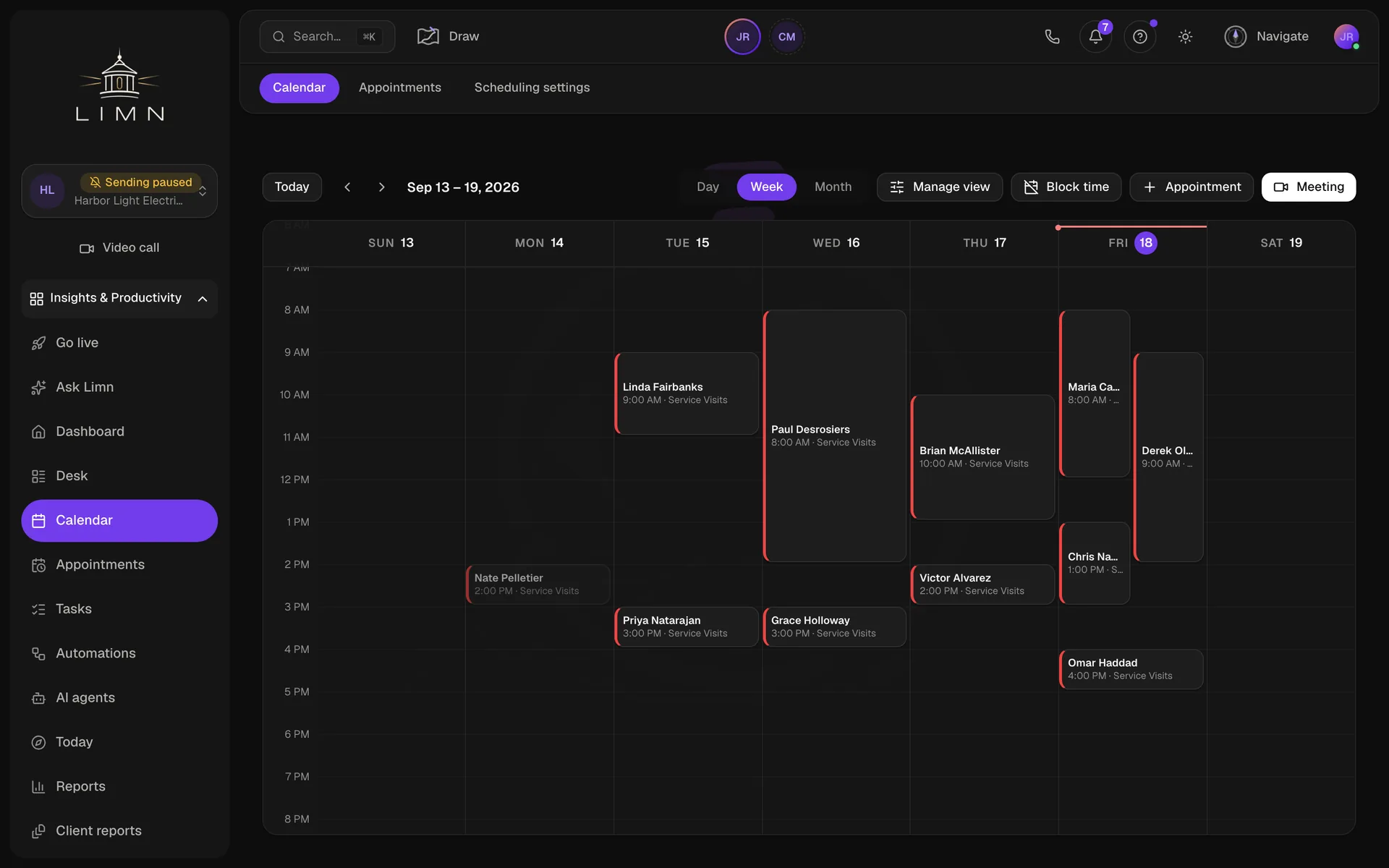
Calendar
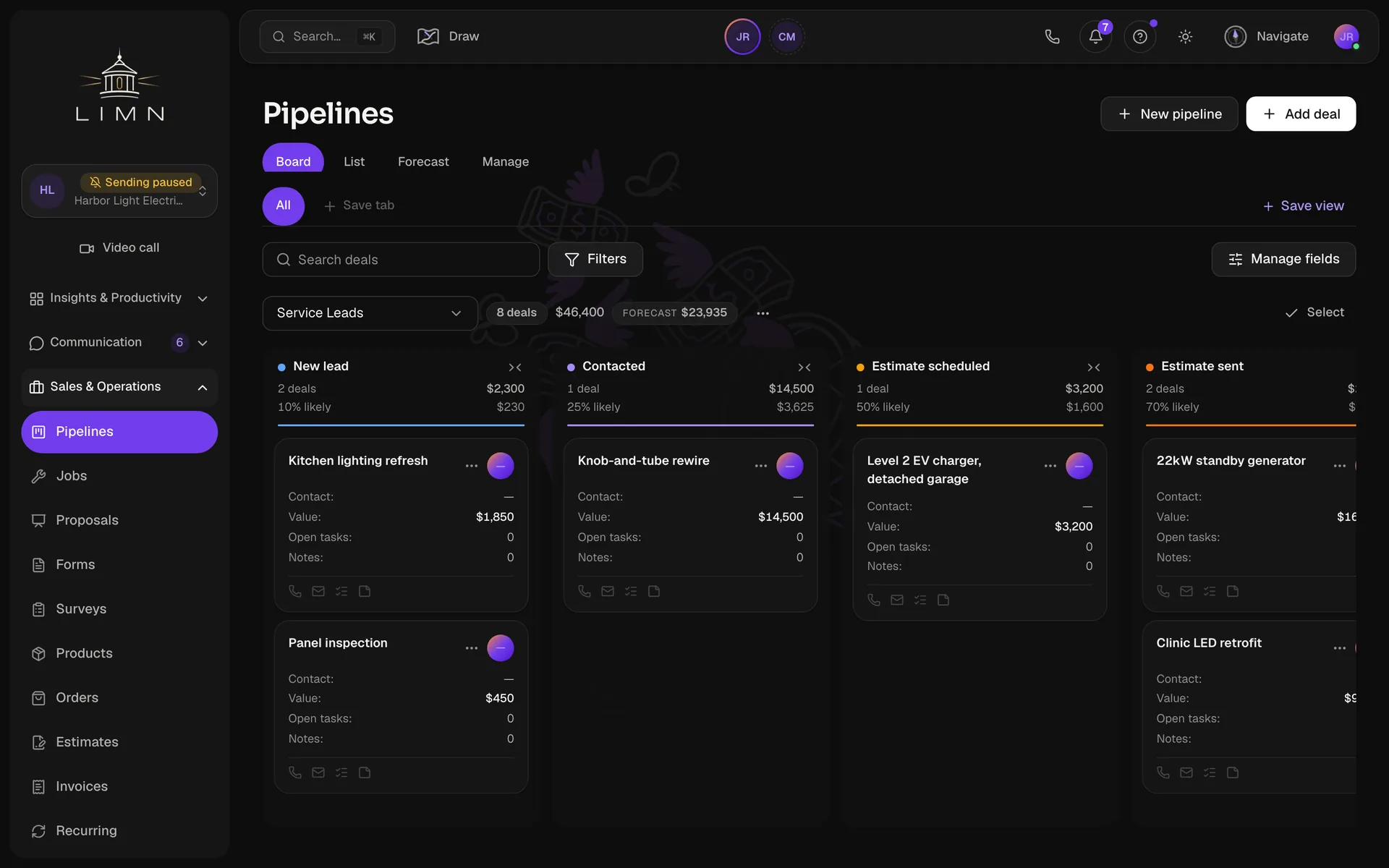
Pipeline
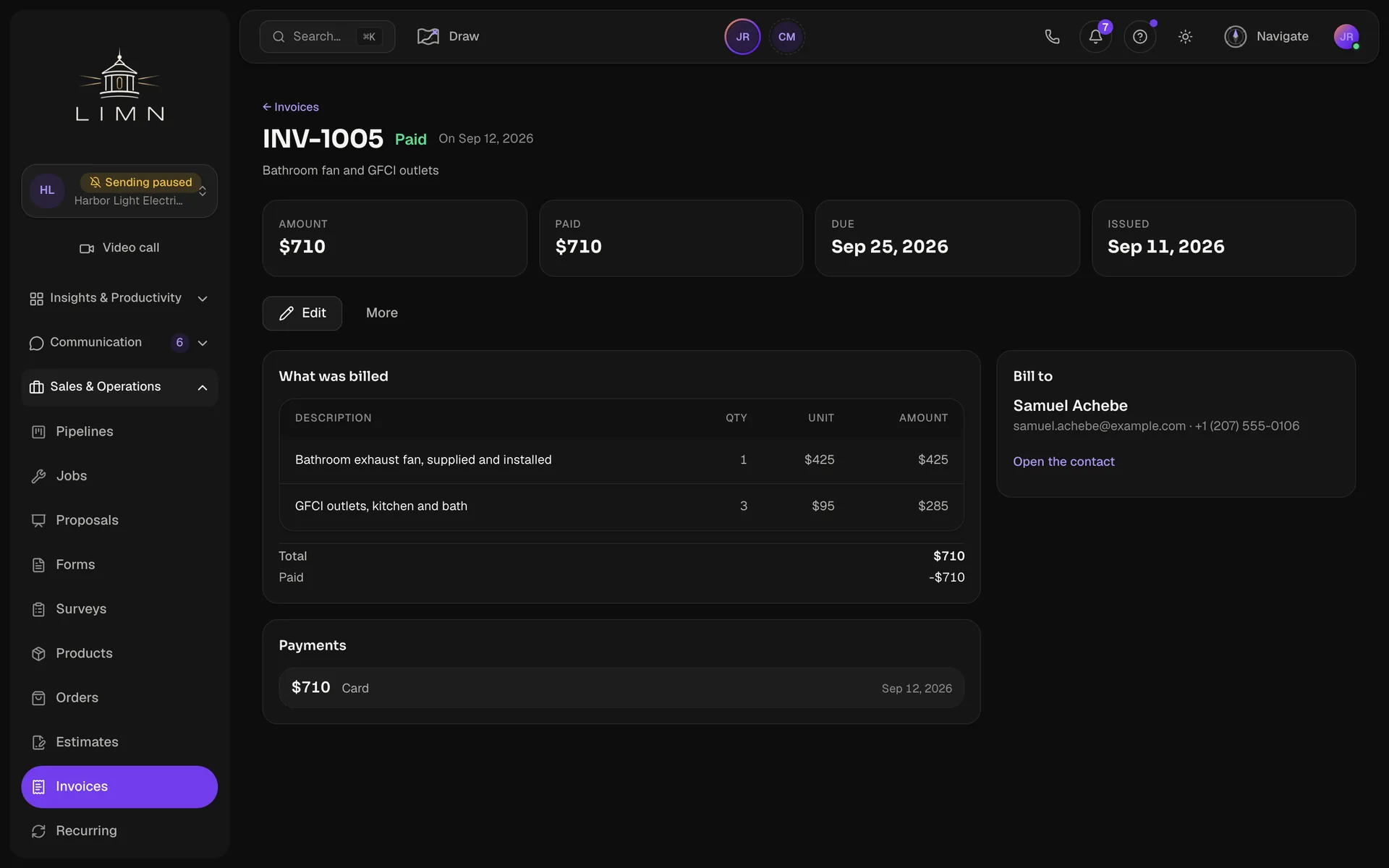
Invoices
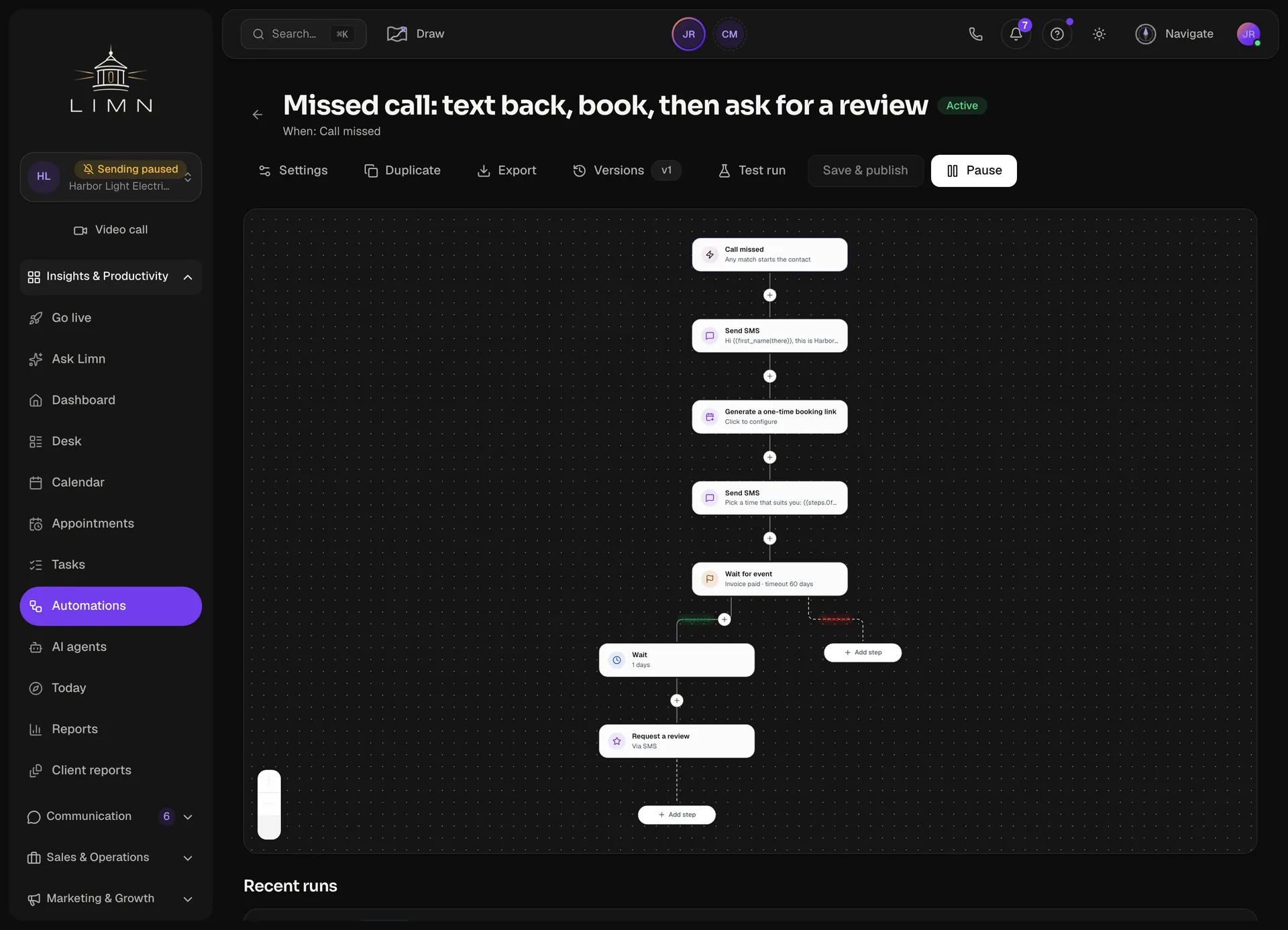
Automations
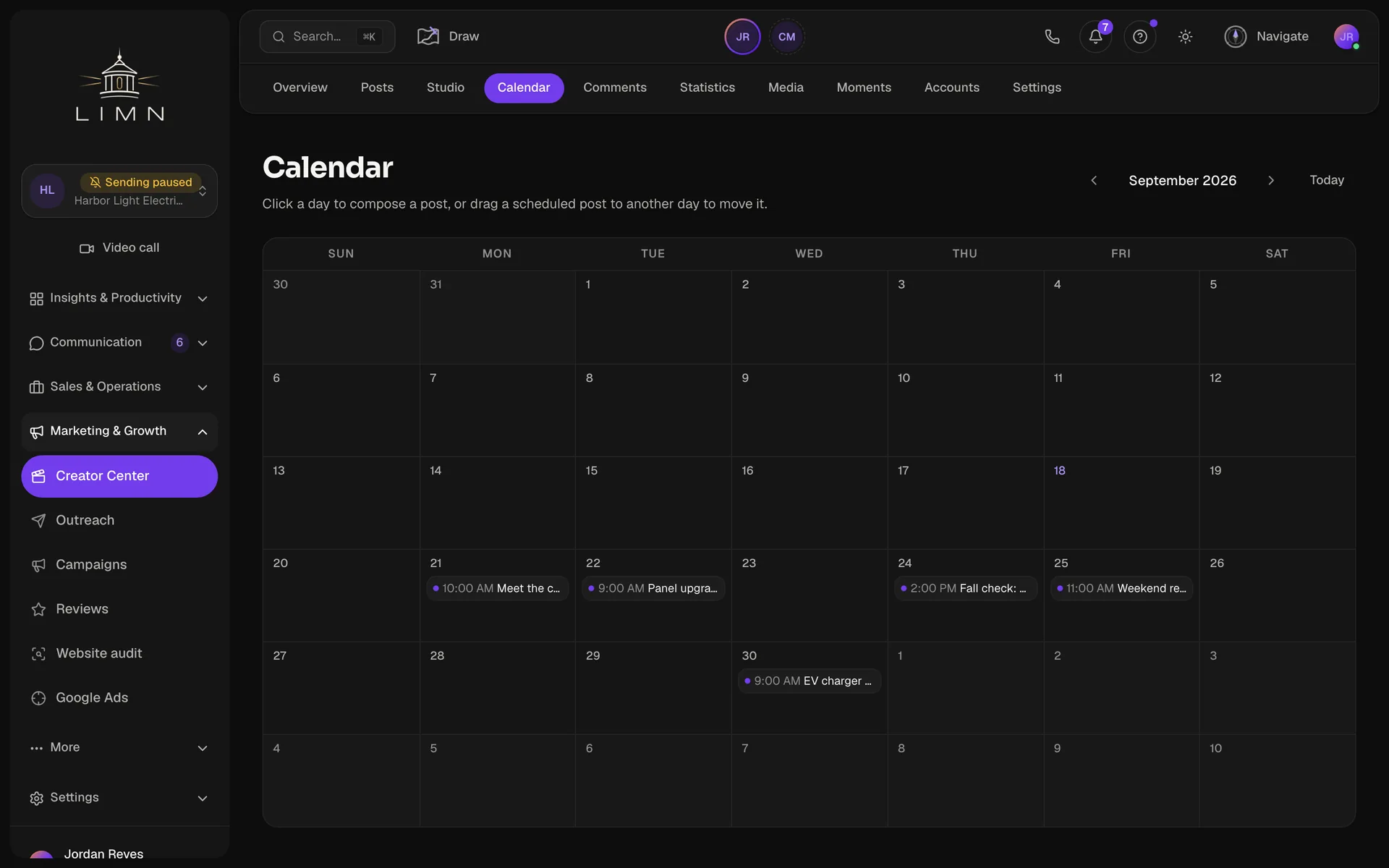
Social
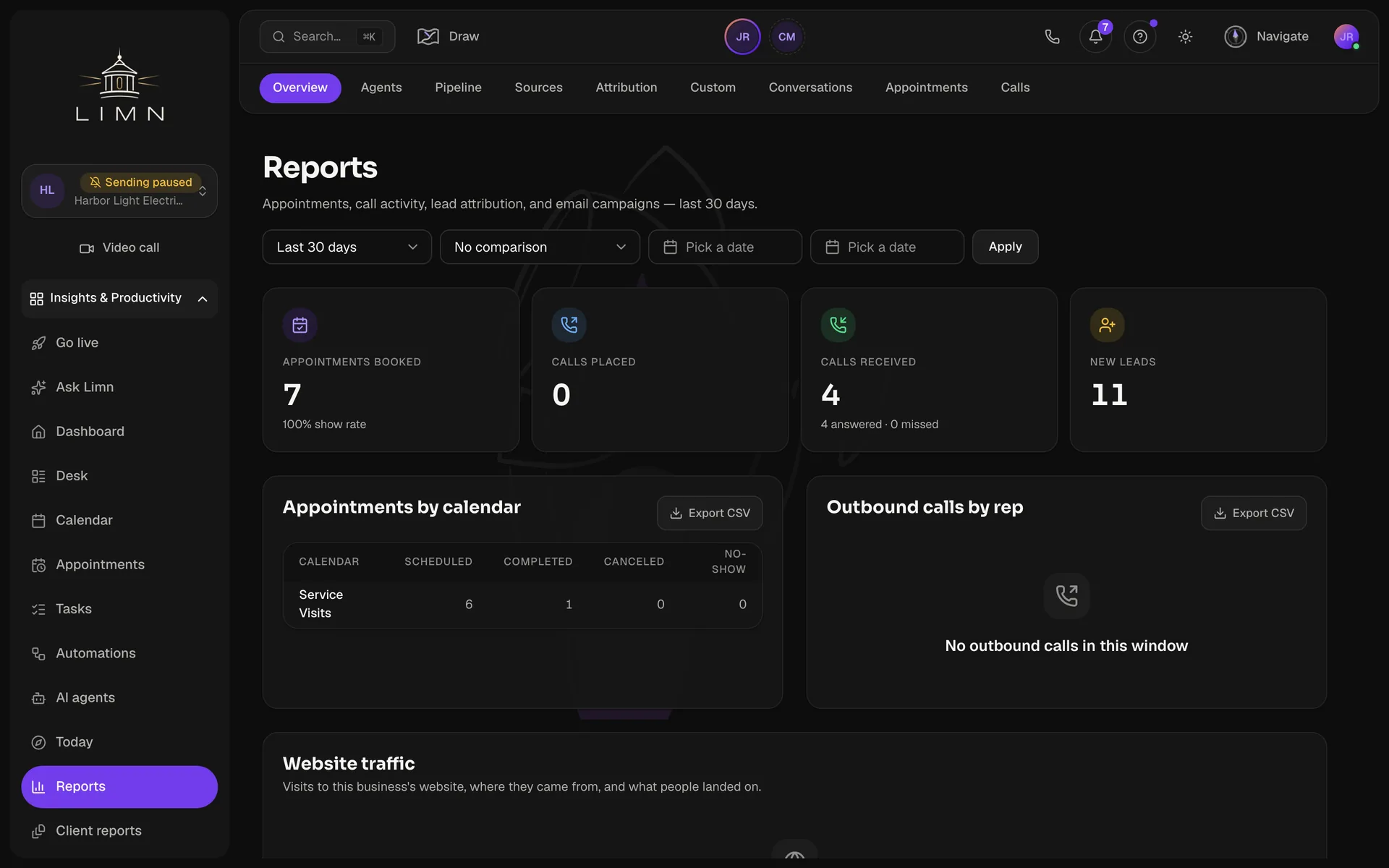
Reports


Also included
Jobs
The work after the quote: a crew, visits on the calendar, and hours, with Dispatch for the office and My day for the van.
Calls
A call log with recordings and voicemail, a queue you work one call at a time, and an AI agent that can answer the phone.
Reviews
Ask for a review by text or email, with a reminder if it goes quiet, then reply from the same page.
Documents
Contracts and waivers, signed on a phone and filed on the contact.
Automations that compound.
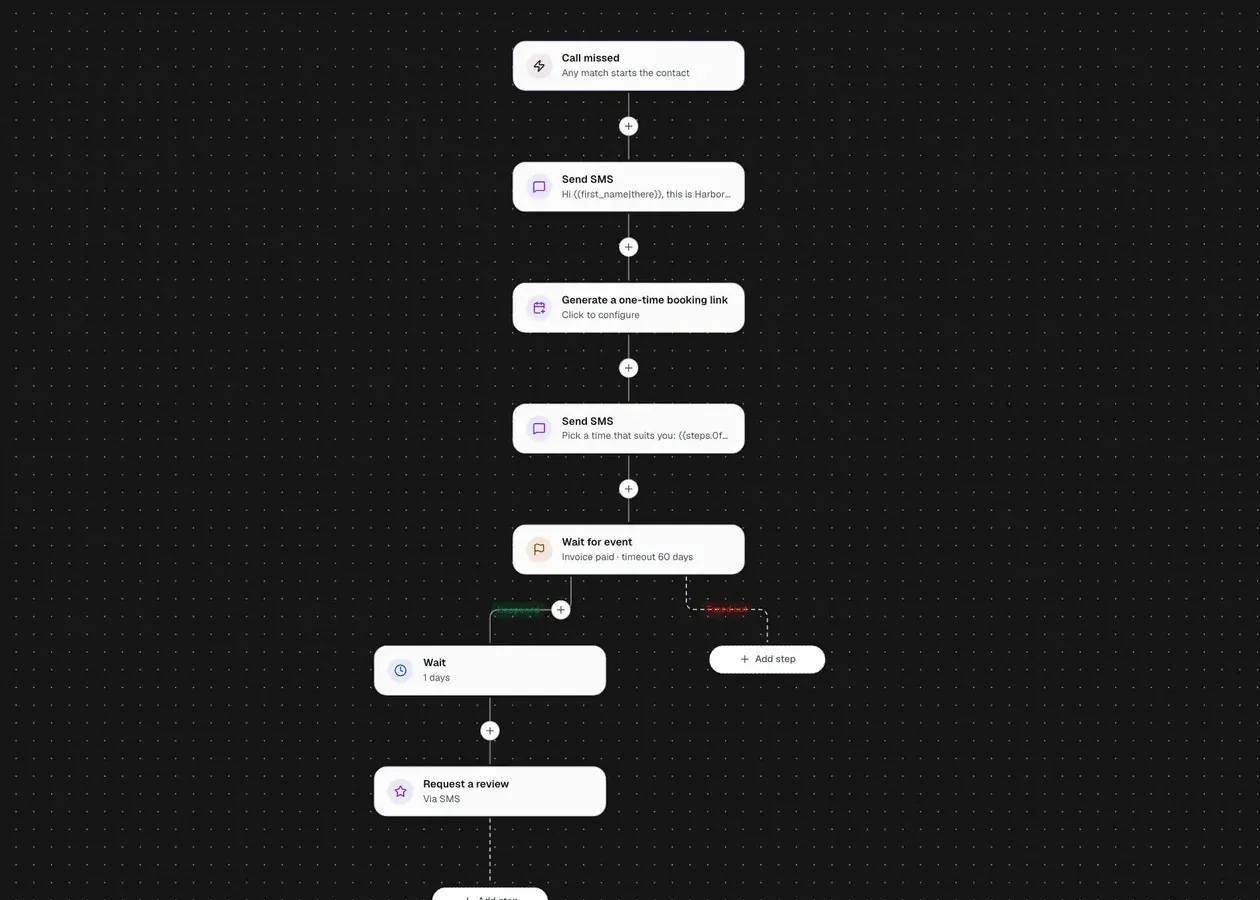
A missed call gets a text back and a booking link. When that customer's invoice is paid, a review request goes out. Every step is a block in the builder, and every run is on the record.

Set it up by asking.
Most software asks you to learn where every setting lives. Here you say the outcome in plain words, and Navigate drafts the program that gets there.
Navigate
Request
When we miss a call, text the caller back with a link to book a visit, and ask for a review after their invoice is paid.
Drafted
- Missed-call text back
- Post-visit review
- Reports after 30 days
Ready to startYou review the steps and press Start. Nothing runs before that.

A drafted program only writes drafts and records. The workflows it builds start when you turn them on.
From lead to paid.
- 01
Get the lead in
Import a CSV, put a form on your site, or add them by hand. Each one becomes a contact with a thread.
- 02
Reply, book, and quote
Texts and email come into one inbox. You book the visit on the calendar and send the estimate from the same contact.
- 03
Do the work and bill it
An accepted estimate becomes a job. The job becomes the invoice, and a payment link takes the card.
Works with the accounts you already run.
Connect your Google, Meta, Stripe and phone accounts to the business you have open. What they bring in lands on the contact.
- Google Business Profile
- YouTube
- Google Ads
- Google Analytics
- Search Console
- Local Services Ads
- Google Calendar
- Outlook Calendar
- TikTok
- Stripe
- Twilio
- Gmail and IMAP
- QuickBooks / Xero
- GoHighLevel import

QuickBooks and Xero take an export file. Every other connection is live.
Every plan is the whole CRM.
Every screen is in every plan. The higher tiers add businesses, seats, and the agency layer.
Freelancer
For one person or a small team.
$97 / month
or $970 a year — two months free
First 7 days free
- Up to 3 businesses
- 5 seats
- 25,000 contacts
- 15,000 emails / month
- 1,500 SMS segments / month
- 2,000 AI credits / month
- 300 voice minutes / month
- The whole CRM, on every plan
Show allShow fewer
- 2,000 AI credits / month
- 300 voice minutes / month
- The whole CRM, on every plan
- Studionot included
- Client accessnot included
- White labelnot included
- Setup templatesnot included
- Agency APInot included
- Resellingnot included
then $97 a month
Most chosen
Professional
Run client accounts, with the agency layer switched on.
$297 / month
or $2,970 a year — two months free
First 7 days free
- Up to 25 businesses
- 25 seats
- 150,000 contacts
- 75,000 emails / month
- 7,500 SMS segments / month
- 10,000 AI credits / month
- 1,500 voice minutes / month
- The whole CRM, on every plan
Show allShow fewer
- 10,000 AI credits / month
- 1,500 voice minutes / month
- The whole CRM, on every plan
- Studioincluded
- Client accessincluded
- White labelincluded
- Setup templatesincluded
- Agency APIincluded
- Resellingnot included
then $297 a month
Agency
Everything, at the scale a full agency needs it.
$497 / month
or $4,970 a year — two months free
First 7 days free
- Up to 250 businesses
- 250 seats
- 1,000,000 contacts
- 250,000 emails / month
- 25,000 SMS segments / month
- 40,000 AI credits / month
- 5,000 voice minutes / month
- The whole CRM, on every plan
Show allShow fewer
- 40,000 AI credits / month
- 5,000 voice minutes / month
- The whole CRM, on every plan
- Studioincluded
- Client accessincluded
- White labelincluded
- Setup templatesincluded
- Agency APIincluded
- Resellingincluded
then $497 a month
Enterprise
Everything in Agency, with limits set to what you actually run.
Let’s talk
Dedicated onboarding, and terms written for you.
- Limits set to what you run
- Dedicated onboarding
- Terms written for you
Show allShow fewer
- Studioincluded
- Client accessincluded
- White labelincluded
- Setup templatesincluded
- Agency APIincluded
- Resellingincluded
Every plan starts with 7 free days. Your card is saved when you sign up and charged 7 days later unless you cancel. Want to see it first? Take the full tour.
Plain answers.
Can I look around before I pay?
Yes. The tour is narrated and needs no sign-up. A workspace asks for a card when you open it.
What is on every plan?
Every plan is the whole CRM: contacts, inbox, calls, calendar, pipelines, jobs, estimates, invoices, automations, campaigns, forms, and reviews. Higher plans add more businesses and seats, plus the agency layer: branding, client access, setup templates, and reselling.
Can I take my data with me?
Yes. The account owner can download the whole workspace as one file, and lists like contacts and estimates export on their own.
What if I run more than one business?
Each business gets its own workspace with its own contacts, calendar, and inbox. Your plan sets how many you can run, and Agency view sits above them all.
How do I cancel?
From Billing. Cancel inside the free days and your card is not charged. Cancel later and you keep the workspace until the period you paid for ends.
Watch the tour first, then open a workspace.
The tour needs no sign-up. A workspace asks for a card.